mlx-optiq can see.
mlx-optiq now adds image and text on the Gemma-4 and Qwen3.5/3.6 families. Hand it a photo, a chart, or a page of text, and the same OptIQ-quantized model that answers your text prompts now answers questions about the picture too. There is no second model, no separate vision build, and no new runtime engine to install. Pre-built quants take image input, from a 0.7 GB Qwen3.5-0.8B that runs on any Mac up to the 27 B models.
The same published repo loads as a text-only model under stock mlx-lm and as a full image-and-text model under OptIQ.
One artifact, two ways to load it
The mechanism is a sidecar. OptIQ quantizes the language tower the way it always has; the vision and audio towers are written, at bf16, into a separate file that rides alongside the quantized shards: optiq_vision.safetensors. mlx-lm selects its weights with glob("model*.safetensors"), so it never matches the sidecar. Load the repo under stock mlx-lm and you get the text-only model. Load it under OptIQ and the vision tower comes along.
So there is exactly one artifact to publish and one to download. You never choose between a text build and a vision build, and you never pay for vision when you are only sending text. Vision stays at bf16 on purpose: 4-bit vision tends to hurt OCR and fine detail, so the ecosystem keeps the encoder in higher precision. The language tower, which is where almost all of the size lives, is still fully OptIQ mixed-precision quantized.
| Loader | Reads | You get |
|---|---|---|
| stock mlx-lm | model*.safetensors | Text-only model (sidecar ignored) |
| OptIQ | model*.safetensors + optiq_vision.safetensors | Full image + text |
Vendored, not a dependency
mlx-optiq's value is in the language path: mixed-precision quantization, the MTP speculative decoder, mounted LoRA adapters, the mixed-precision KV cache. None of that lives in the vision libraries. So rather than take on mlx-vlm as a runtime dependency, we vendored just the vision encoders into mlx-optiq and kept decoding in mlx-lm.
The vision front-end preprocesses the pixels, runs the vendored SigLIP tower, projects the result into the language model's hidden space, and scatters those soft tokens into the text-embedding sequence at the image-placeholder positions. From there mlx-lm decodes exactly as it does for text, with the same quantized weights, KV cache, and sampler.
We checked the vendored path against mlx-vlm tensor for tensor. Feeding mlx-vlm's own pixel values through mlx-optiq's preprocessing, vision tower, and projection reproduces its outputs to a maximum absolute difference of zero (266 soft tokens on gemma-4-e2b). Two details had to be right for that to hold: mlx-lm's gemma4_text always rescales the incoming embeddings by embed_scale, so the vision features are pre-divided to compensate; and the per-layer inputs zero out the image-token positions before projection.
See it in the Lab
The OptIQ Lab's Chat tab takes images directly. Attach a picture, ask a question, read the answer. Everything below is gemma-4-e2b at 4-bit, the smallest model in the family, running locally on a Mac.
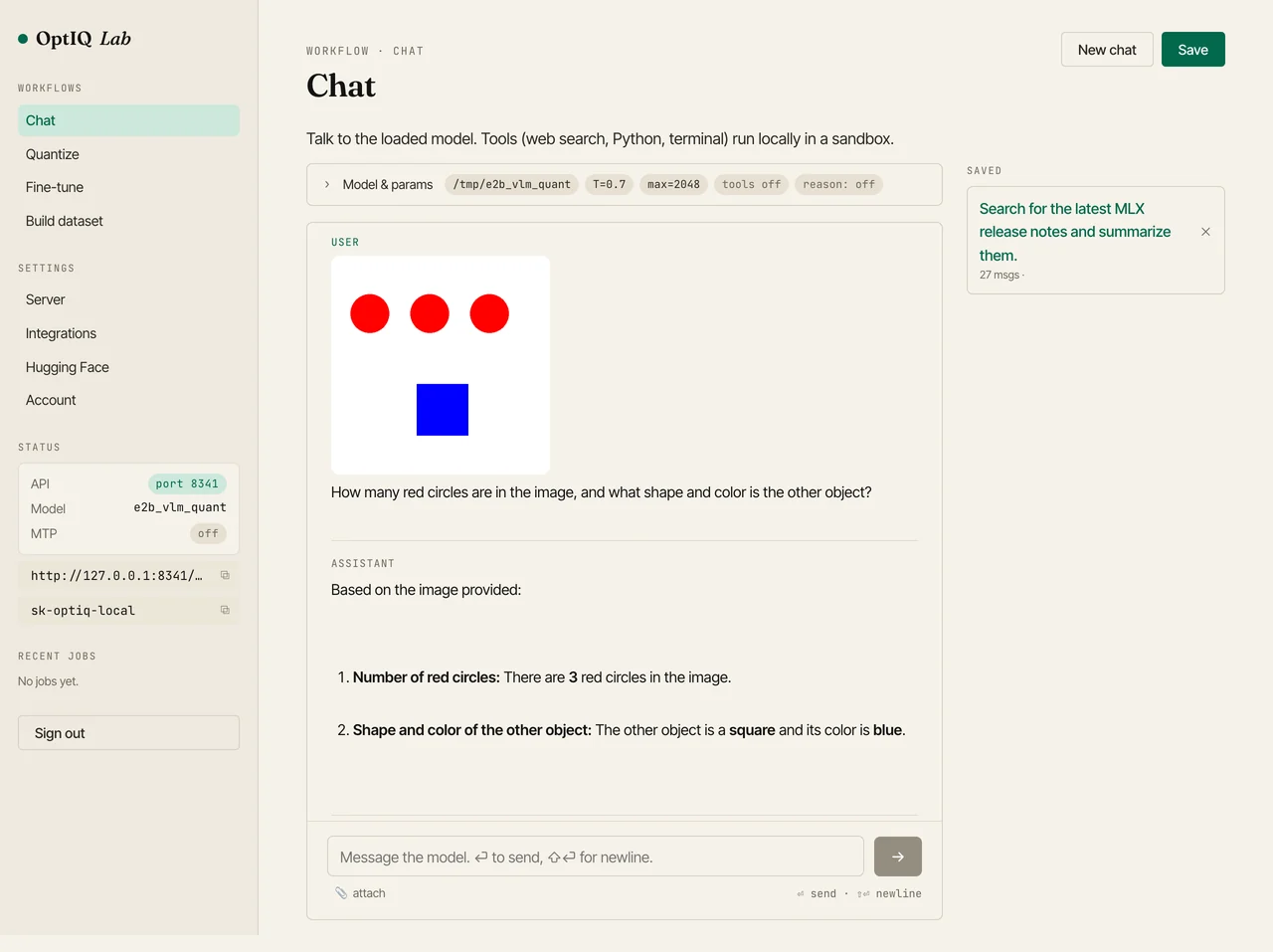
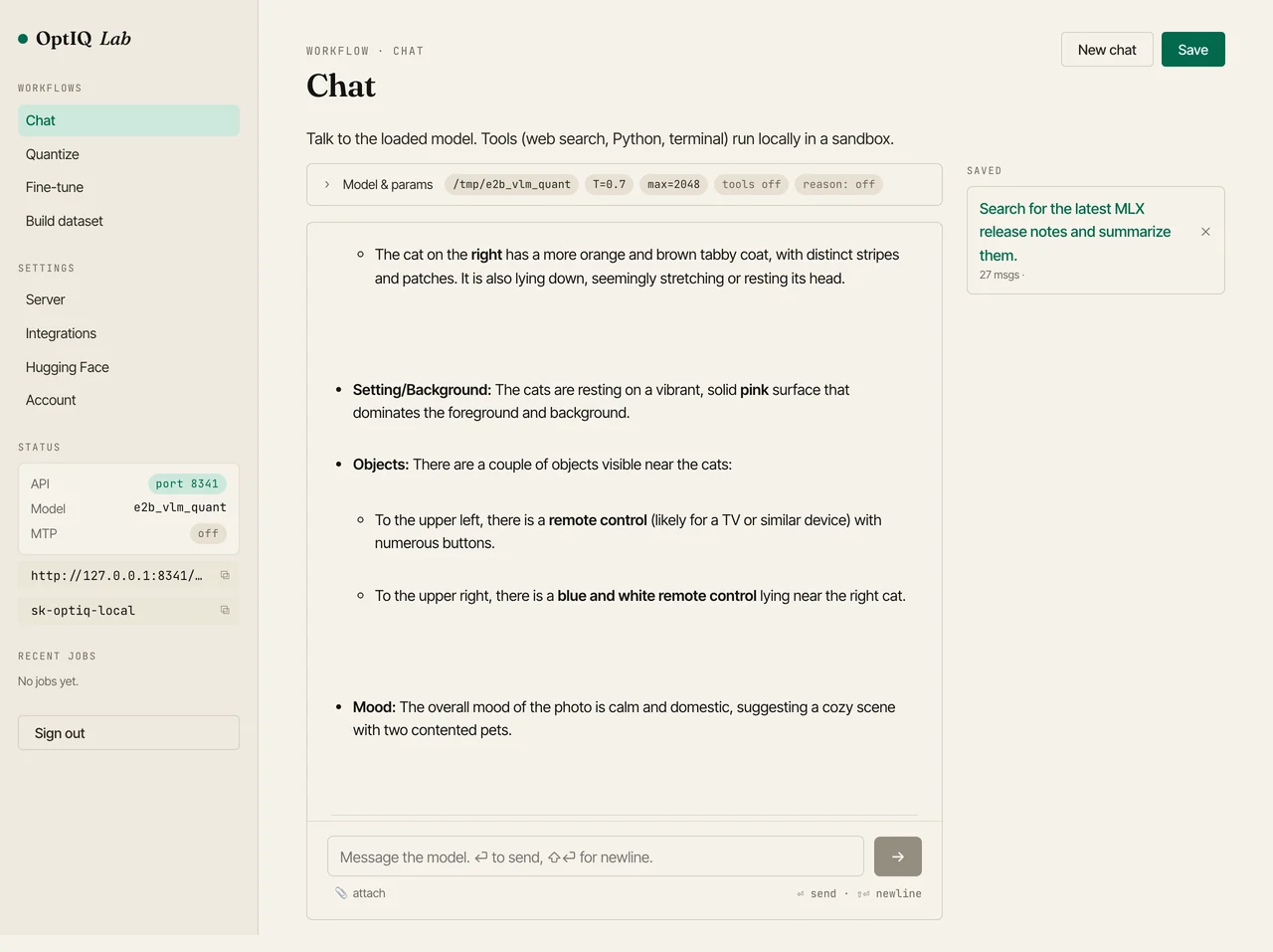
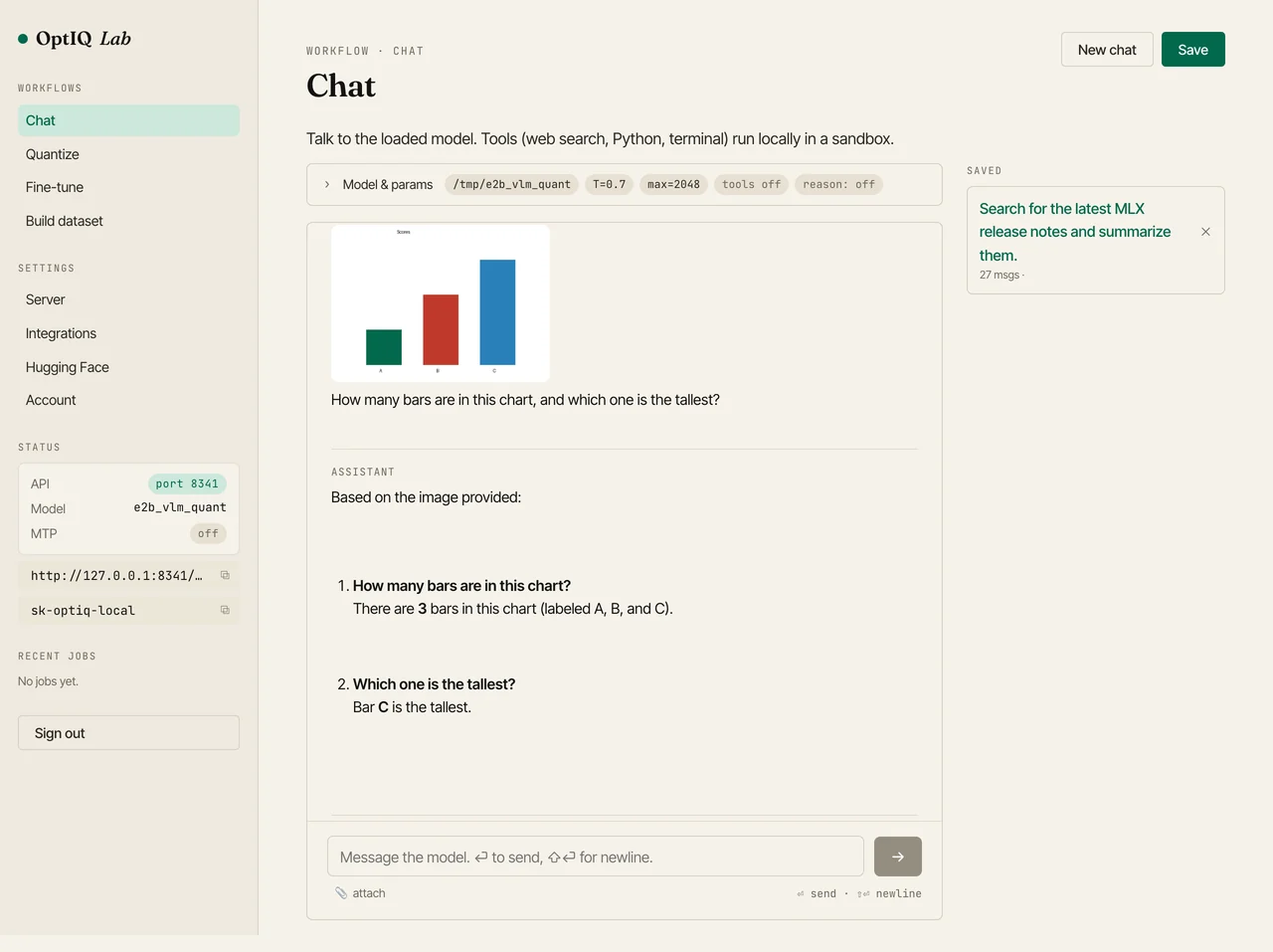
It handles the obvious vision tasks: counting objects, naming shapes and colors, describing a scene. It also reads text out of an image (we asked it to quote a sign and it returned the string exactly) and answers questions about a bar chart. All of it on the smallest Gemma-4, quantized to 4-bit.
Two families, three vision architectures
The same sidecar idea carries across families, but the vision towers do not look alike, and each one taught us something about where the spatial understanding actually happens.
Gemma-4 e2b / e4b use a full SigLIP vision tower: a 16-layer transformer that encodes 16-pixel patches into soft tokens. The larger 26B and 31B use the same architecture at 27 layers and a wider hidden size. Both are self-contained, so the language backbone treats their soft tokens like any other embedding.
Gemma-4 12B is different. It is a unified model with no separate vision tower at all: a light patch embedder feeds image tokens straight into the shared language backbone, which was trained to attend over them bidirectionally. Run it with the ordinary causal mask and OCR slips ("OPTIQ" becomes "OPTION"). Make the image-token span bidirectional, the way the model was trained, and the text comes back exactly right. The fix is a one-shot mask wrapper that leaves text and decode fully causal.
Qwen3.5 and Qwen3.6 bring a third tower (the Qwen3-VL encoder, with its own 2D rotary positions and windowed attention) and a variable-resolution image processor. Both are vendored bit-exact against mlx-vlm. Here the spatial work happens inside the vision tower, so the visual tokens arrive already position-aware and the backbone needs nothing special. OCR is exact straight away.
| Family | Models with image input | Vision tower |
|---|---|---|
| Gemma-4 | e2b, e4b, 12B, 26B-A4B, 31B | SigLIP, plus the encoder-free 12B unified |
| Qwen3.5 | 0.8B, 2B, 4B, 9B, 27B, 35B-A3B | Qwen3-VL encoder |
| Qwen3.6 | 27B, 35B-A3B | Qwen3-VL encoder |
Every preprocessing step and vision tower reproduces mlx-vlm's outputs to a maximum absolute difference of zero, so the soft tokens the language model sees are the same ones the reference implementation produces. And throughout, the text path is untouched: image code only runs when a request actually carries an image, so MTP speculation, LoRA, KV-cache quantization, and plain text generation behave exactly as before.
How to use it
Once a model carries the sidecar, optiq serve and the Lab turn on image support automatically. Point any OpenAI-compatible client at the server and send an image_url content part:
# serve a sidecar-equipped Gemma-4 quant; image support turns on by itself
optiq serve --model mlx-community/gemma-4-e2b-it-OptiQ-4bit

# then POST an image like any OpenAI chat request
curl http://127.0.0.1:8080/v1/chat/completions \
  -H "Content-Type: application/json" \
  -d '{"messages":[{"role":"user","content":[
        {"type":"image_url","image_url":{"url":"data:image/png;base64,..."}},
        {"type":"text","text":"What is in this image?"}]}]}'
The same command works for any sidecar-equipped quant, Gemma-4 or Qwen. Or skip the JSON and open the Lab: optiq lab, go to Chat, click attach, and drop in a picture.
The full list of image-capable quants is on the models page, and the mechanism, supported families, and per-model details are documented in the vision guide.
— the mlx-optiq team